
How to Complete Identity Verification (KYC) on the App
This article walks you through the process of completing identity verification (KYC) on the Hotcoin App (iOS used as an example).
1. Go to the Identity Verification Page
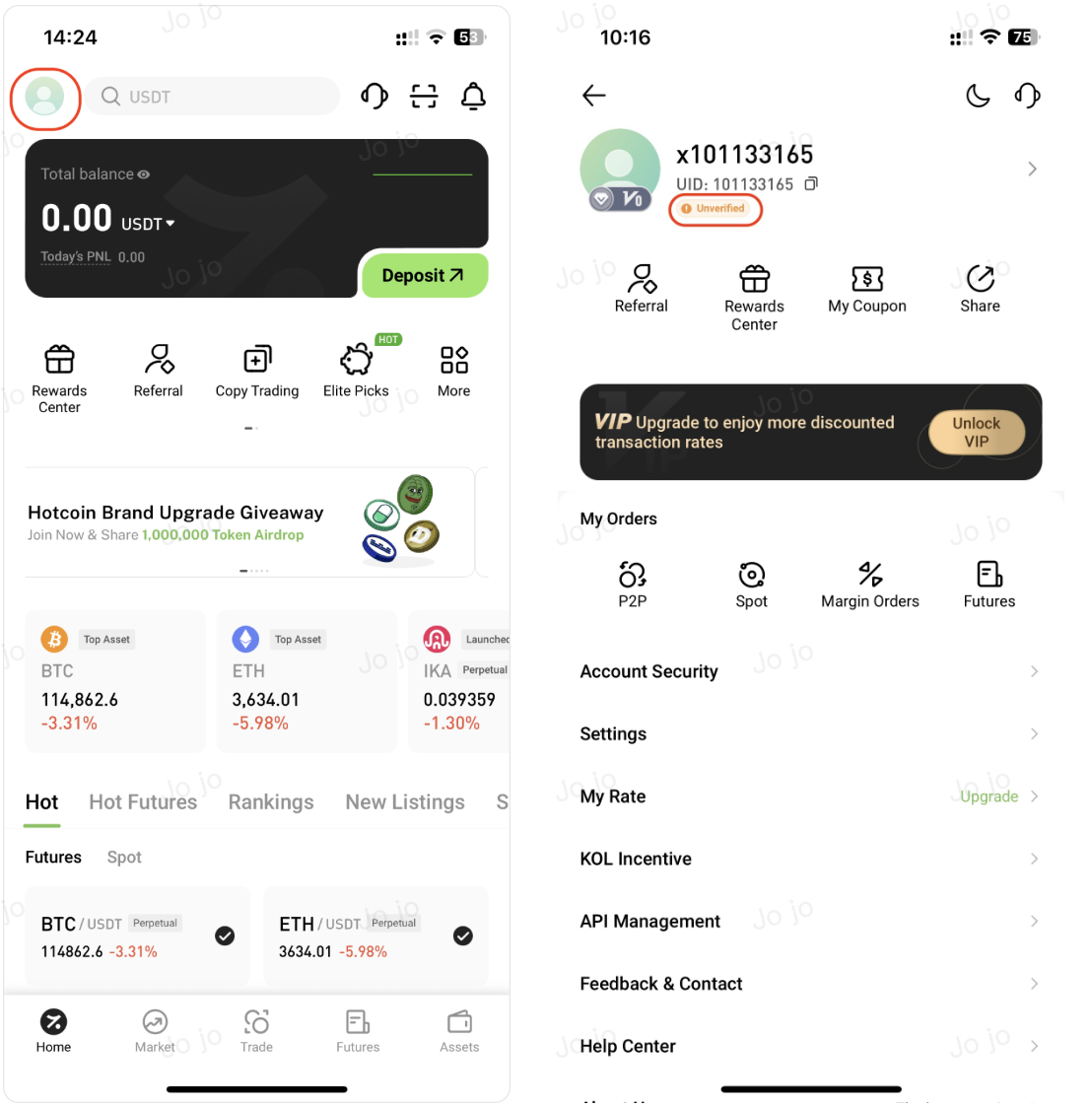
Open the Hotcoin App. On the Home page, tap your profile avatar and enter the “Unverified” page.
2. Select a Verification Type
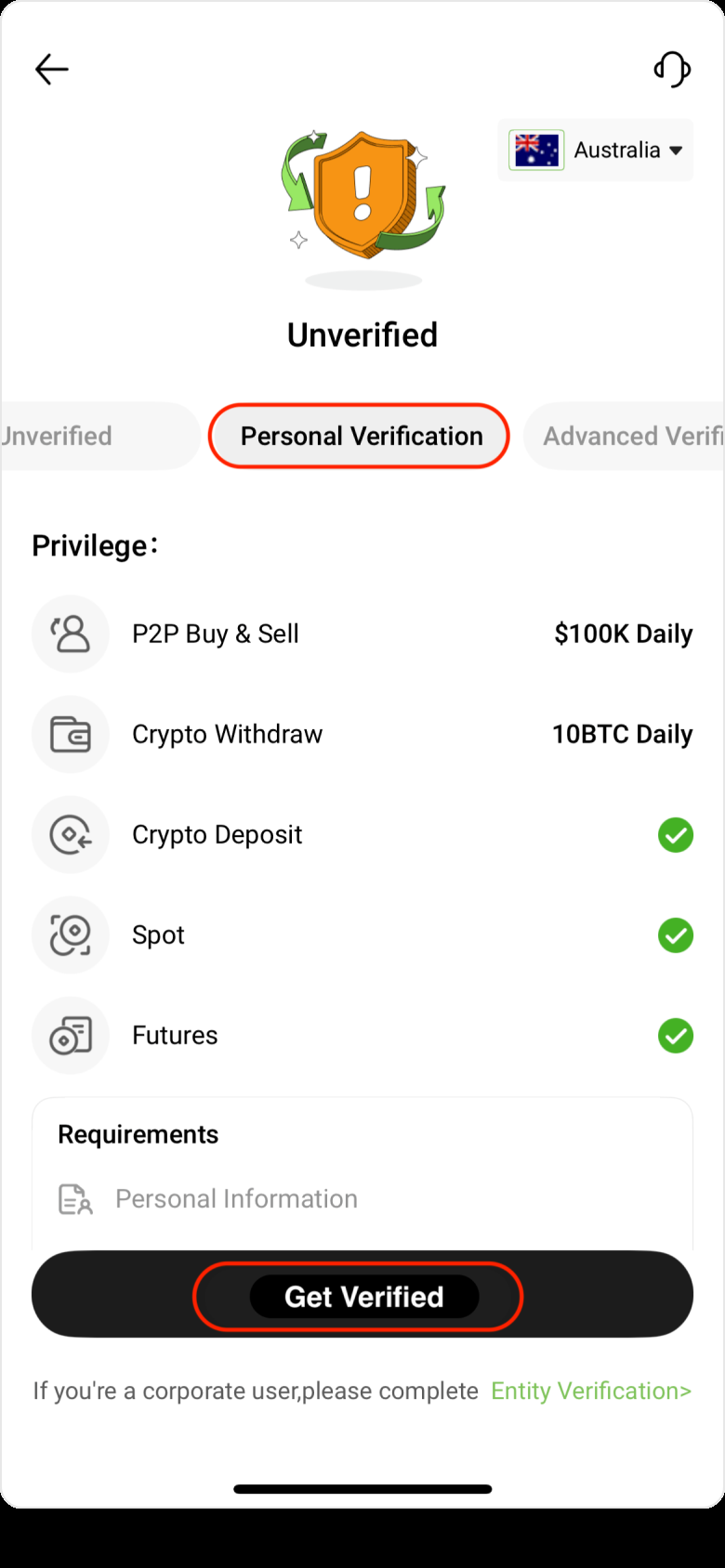
Choose one of the following verification options based on your needs:
- Personal Standard Verification: Requires personal information, an ID card or passport, and facial recognition. Suitable for most users.
- Personal Advanced Verification: Requires additional proof of address and is suitable for high-frequency traders.
Take Personal Verification as an example and tap “Get Verified” at the bottom of the page.
3. Submit Document Information
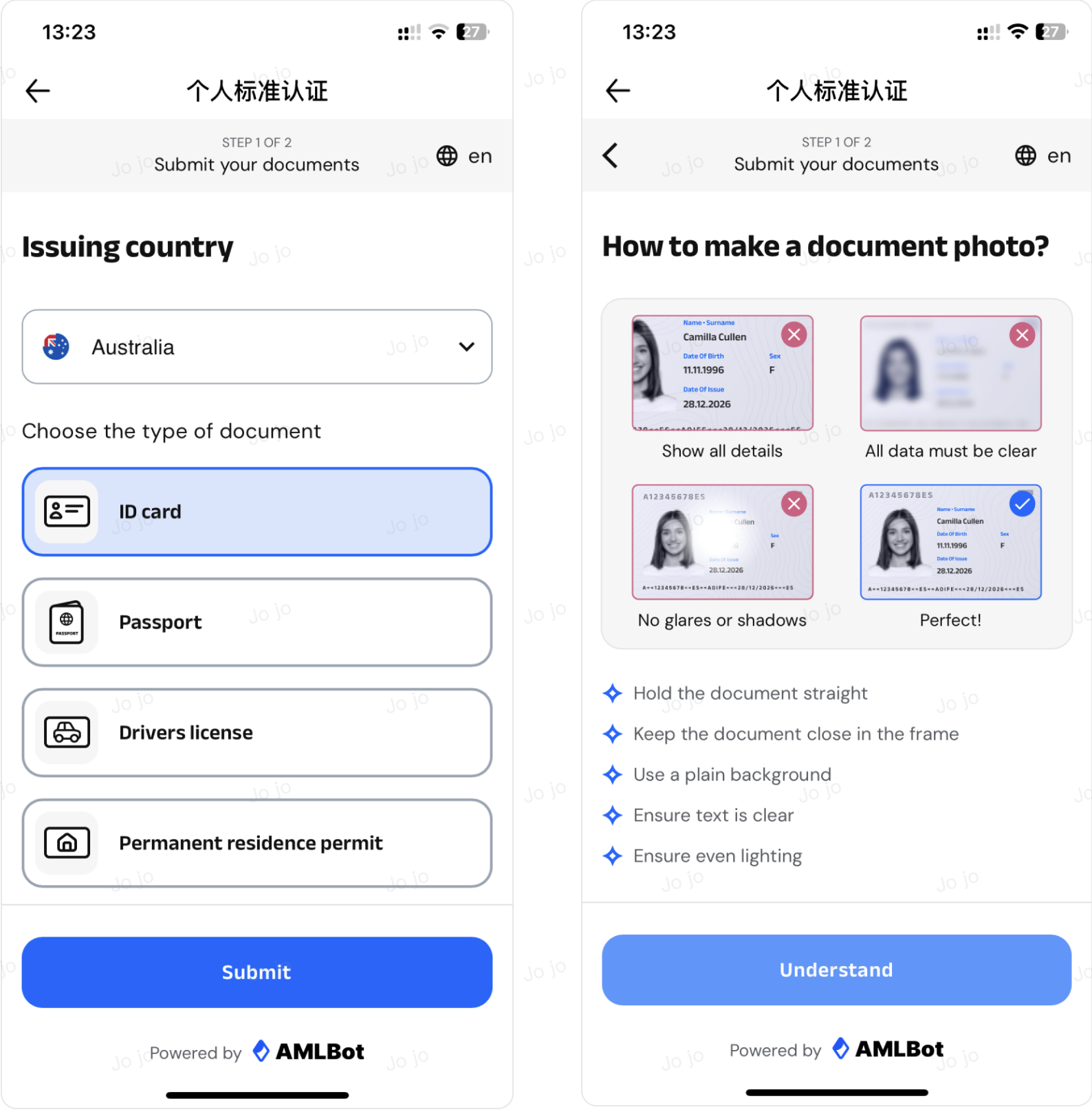
Select your country and verification type, and submit.
Follow the on-screen instructions to capture and upload clear photos of your document. Please ensure that:
- The document is fully visible within the frame
- The information is clear, with no obstruction or glare
Note: If you select a passport, only the personal information page is required.
4. Complete Facial Recognition
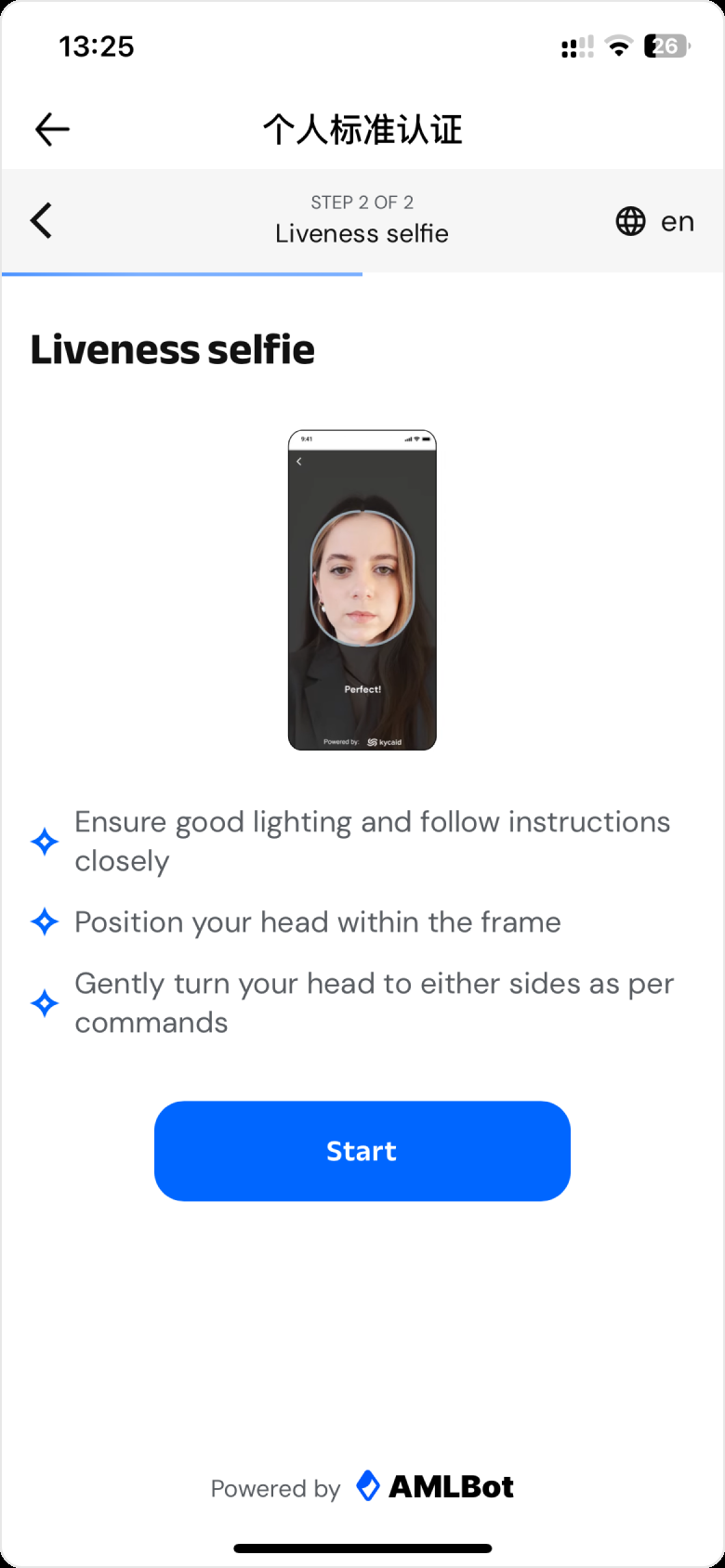
Follow the on-screen instructions to complete facial liveness verification.
5. Wait for the Review Result
After submitting your verification request, the page will display “Identity Verification Under Review.” Please wait patiently for the system review.
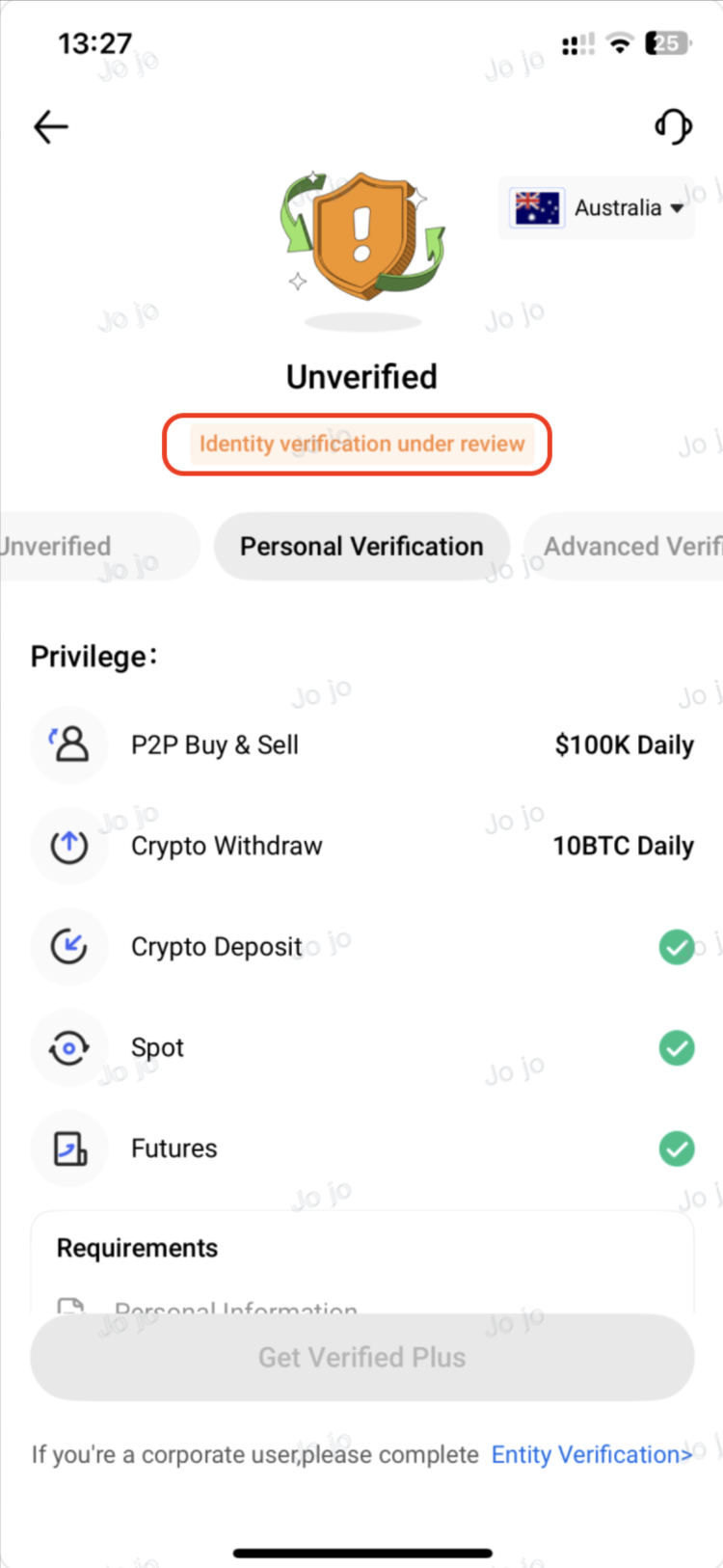
🎉 Benefits After Successful Verification
- Fiat deposits/withdrawals: up to USD 100,000 per day
- Digital asset deposits: no limit
- Digital asset withdrawals: up to 5 BTC per day (Complete Advanced Verification to increase the limit to 10 BTC)
💡 Tips
- Please ensure that the uploaded document photos are clear and free from glare or obstructions to improve approval speed and success rate.
- If you encounter any issues during identity verification, please refer to the “KYC Common Issues and Solutions” or contact Hotcoin Customer Support for assistance.