
Help Center
/Account Security & KYC/KYC Verification/How to Complete Identity Verification (KYC) on the Web
How to Complete Identity Verification (KYC) on the Web
Hotcoin
Share
This article walks you through the process of completing identity verification (KYC) on the web.
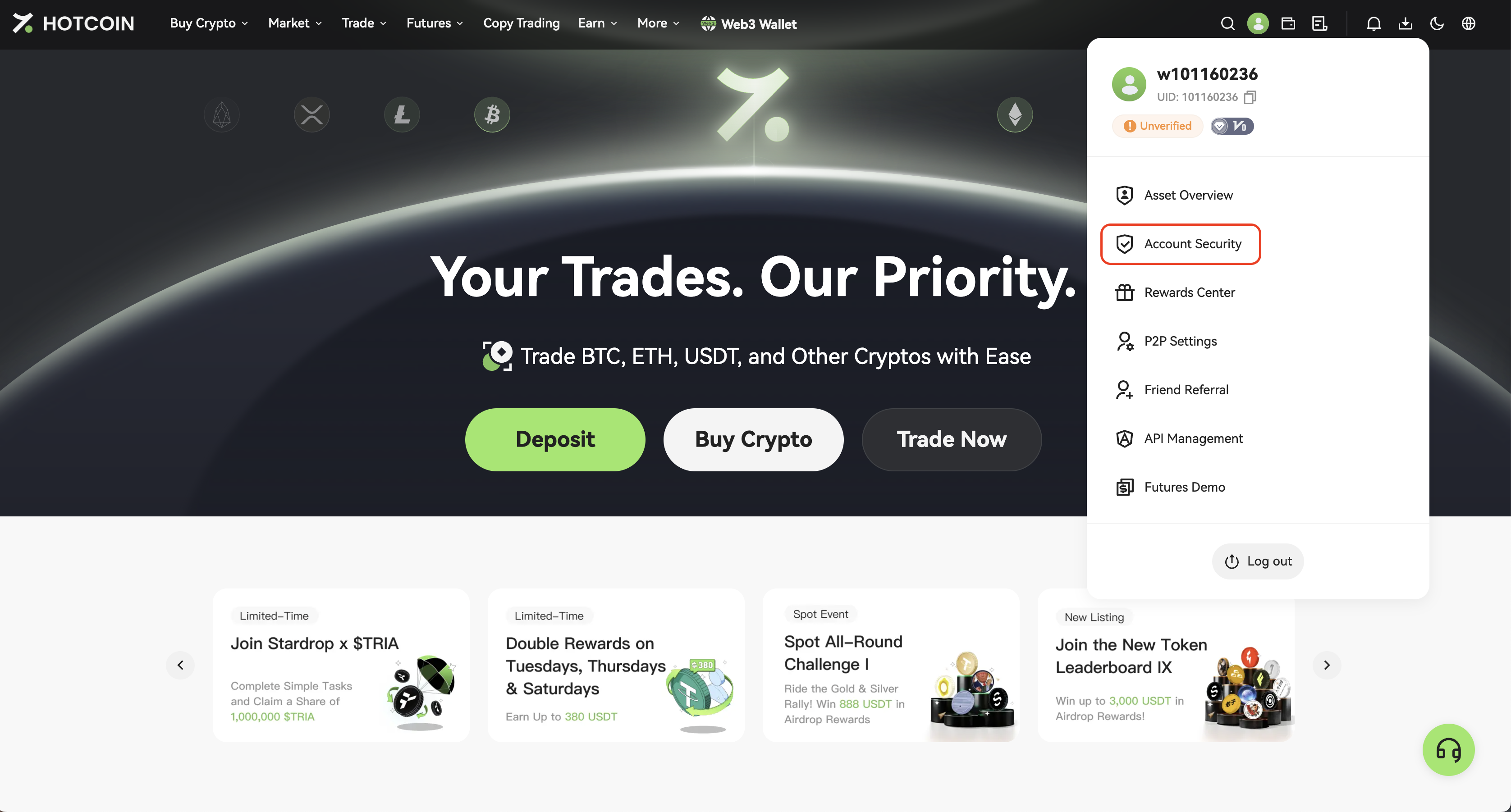
1: Go to Account Security
Log in to your account, click the profile icon in the top right corner and select Account Security.
2: Start KYC Verification
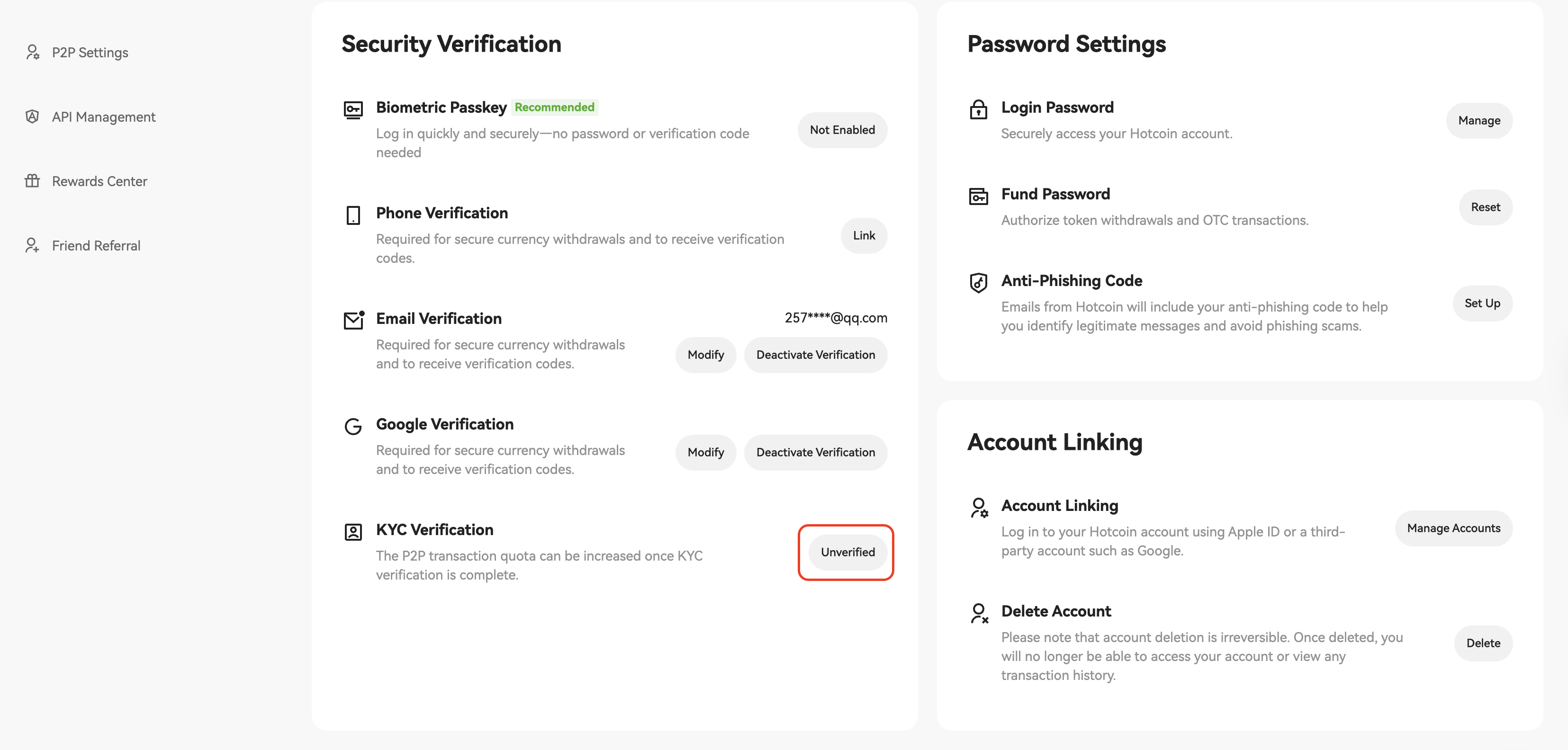
On the Account Security page, click Unverified button on the right side of KYC Verification to begin the KYC process.
3: Choose Your Country or Region
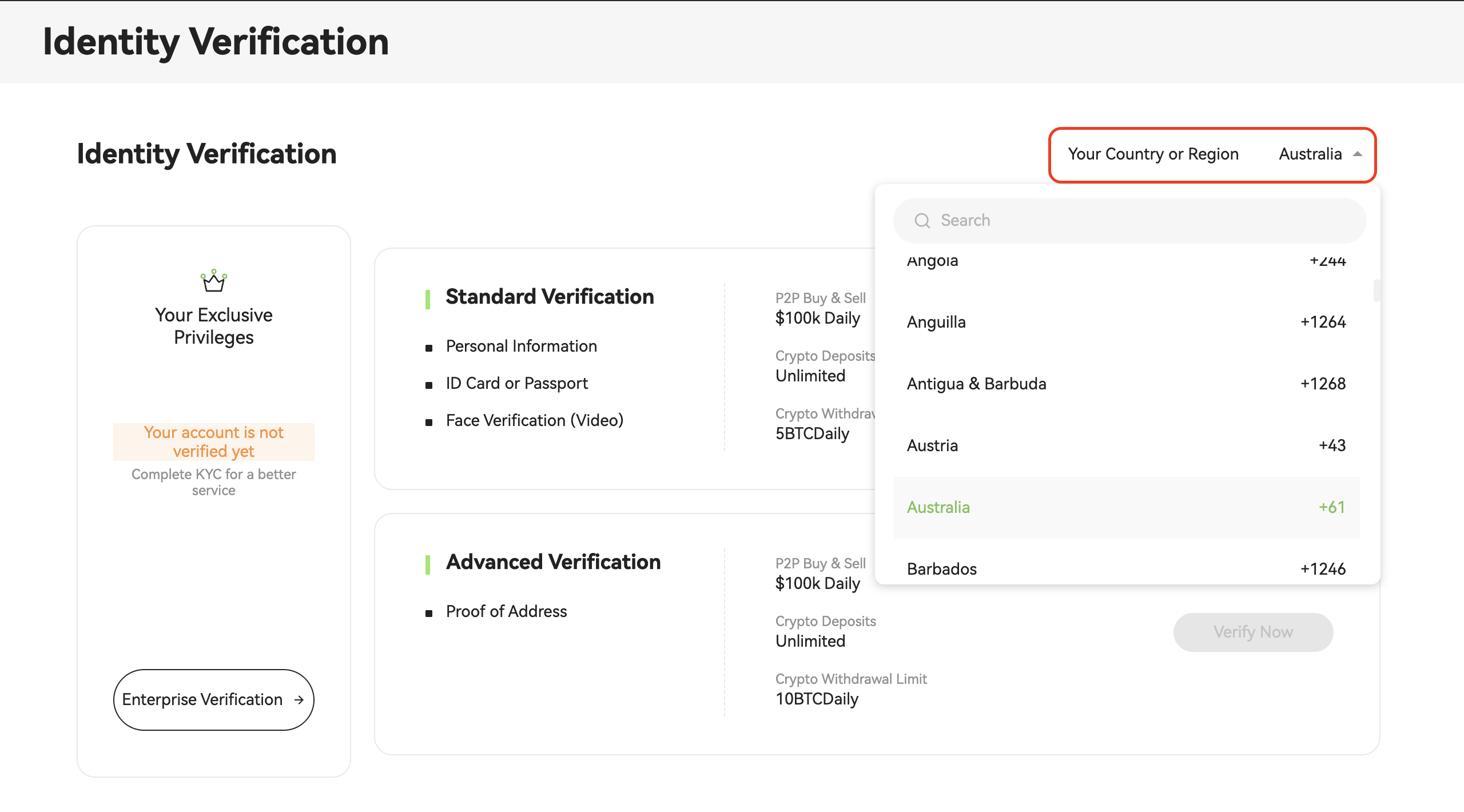
On the identity verification page, click the “Country or Region” dropdown menu and select your country or region.
Please ensure your country/region is selected correctly. The system will automatically show supported document types and withdrawal limits.
4: Select Document Type and Start Verification
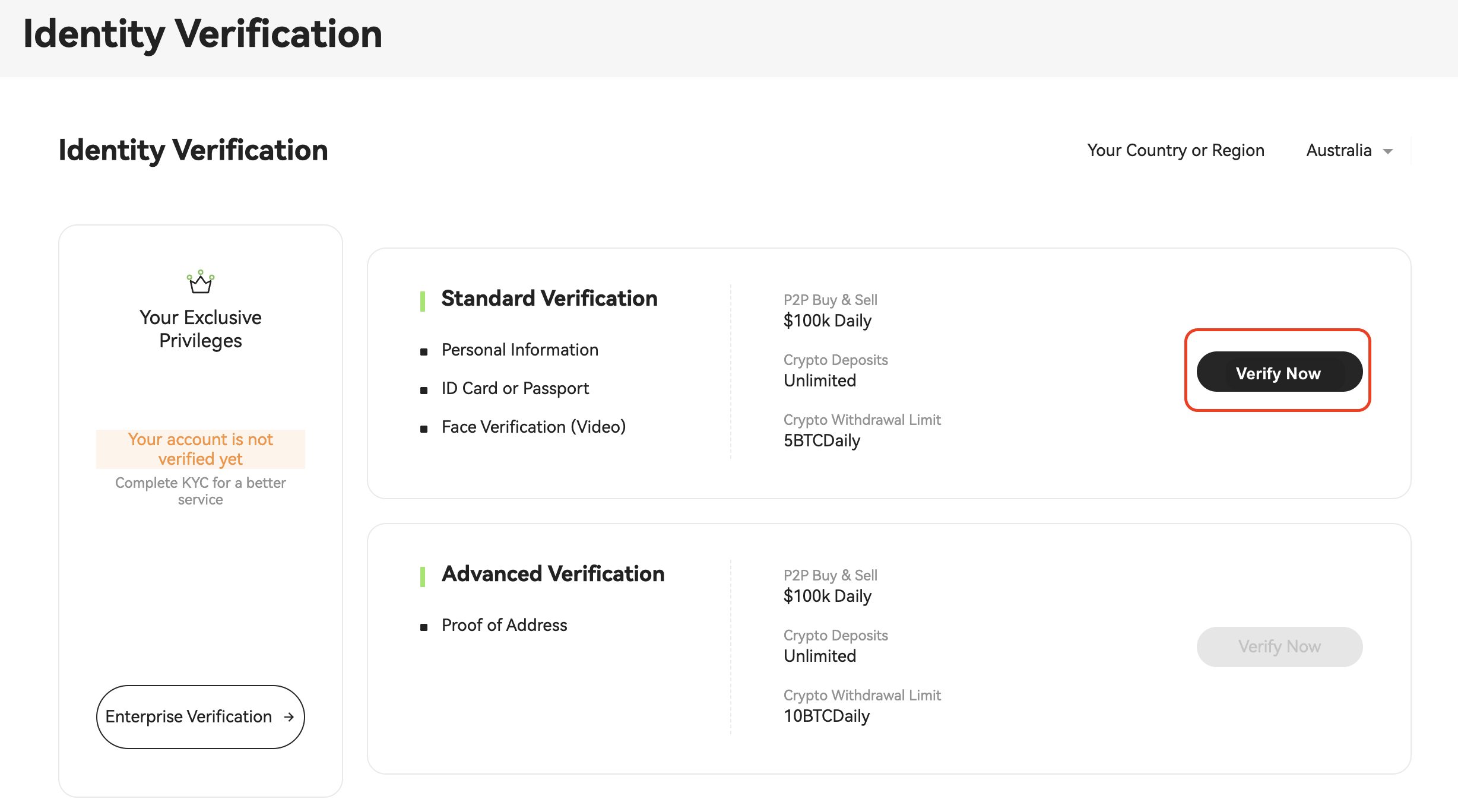
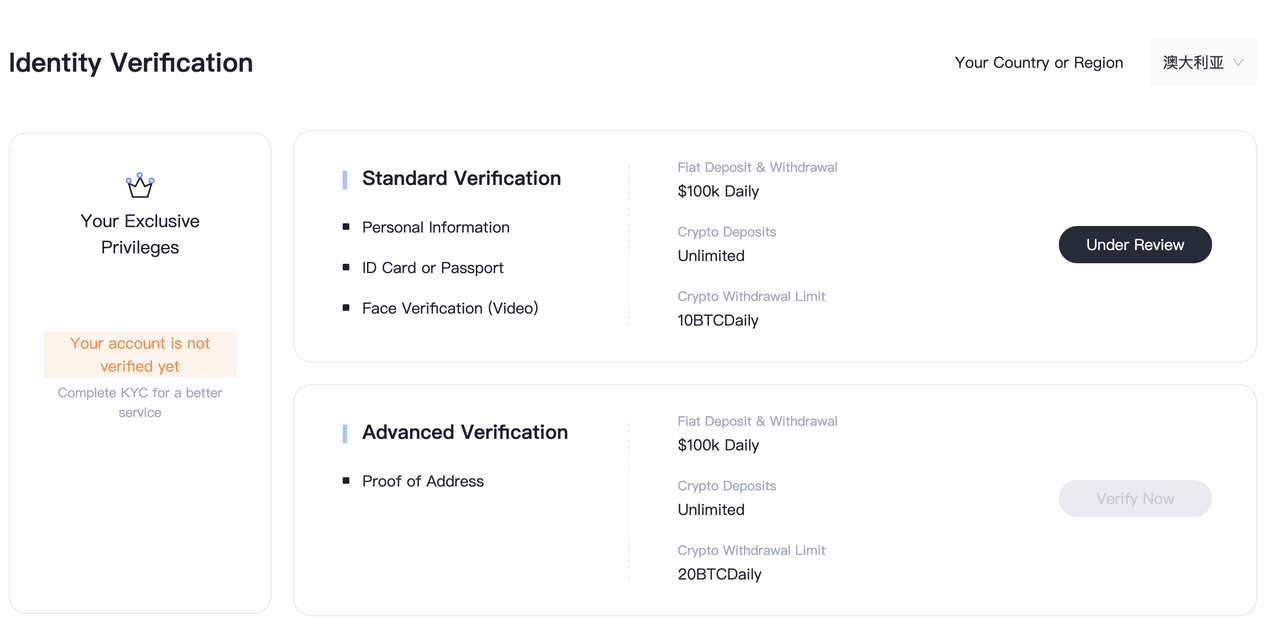
Click “Verify Now” next to “Standard Verification” to begin the verification process.
Verification Type Overview:
- Standard Verification: Requires personal info, ID/passport, and facial recognition. Suitable for most users.
- Advanced Verification: Requires proof of address. Recommended for high-volume traders.
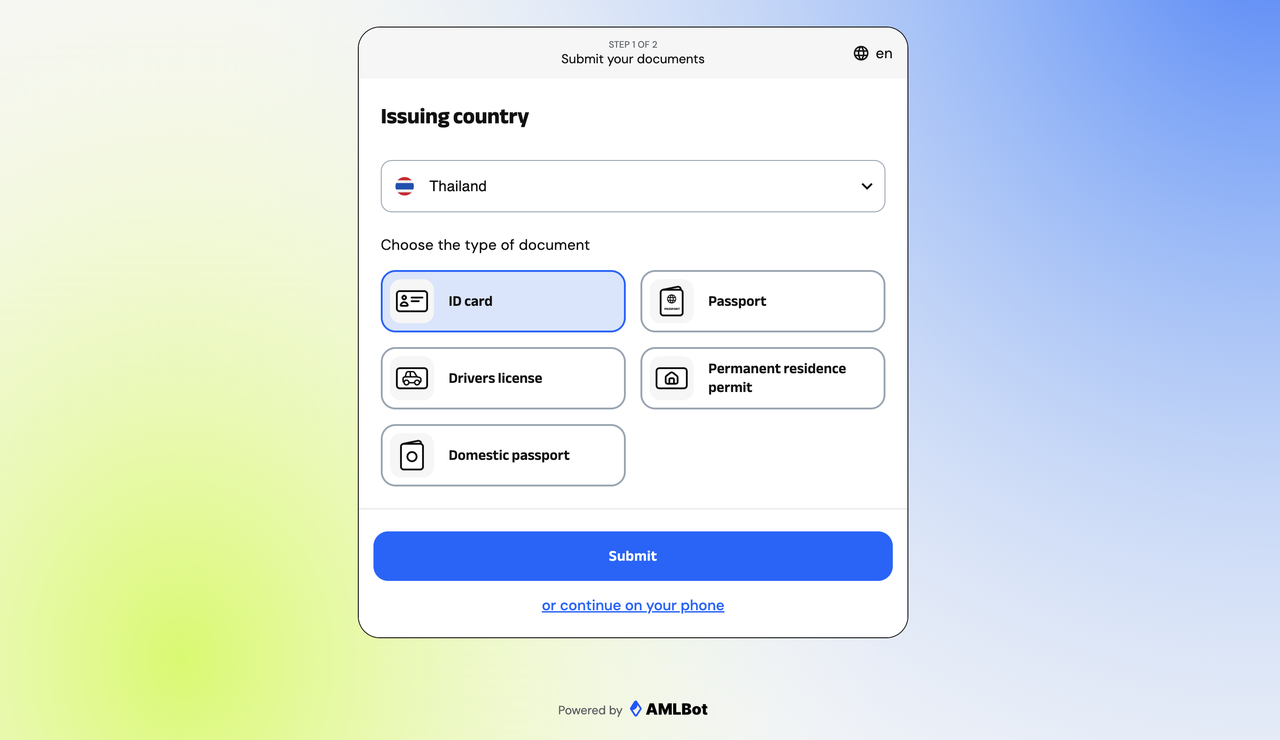
5: Select a Document Type
Please upload one of the following documents depending on your nationality:
- ID Card
- Passport
- Driver's Lisence
- Permanent Residence Permit
- Domestic Passport (for specific regions)
6: Upload Document Photos
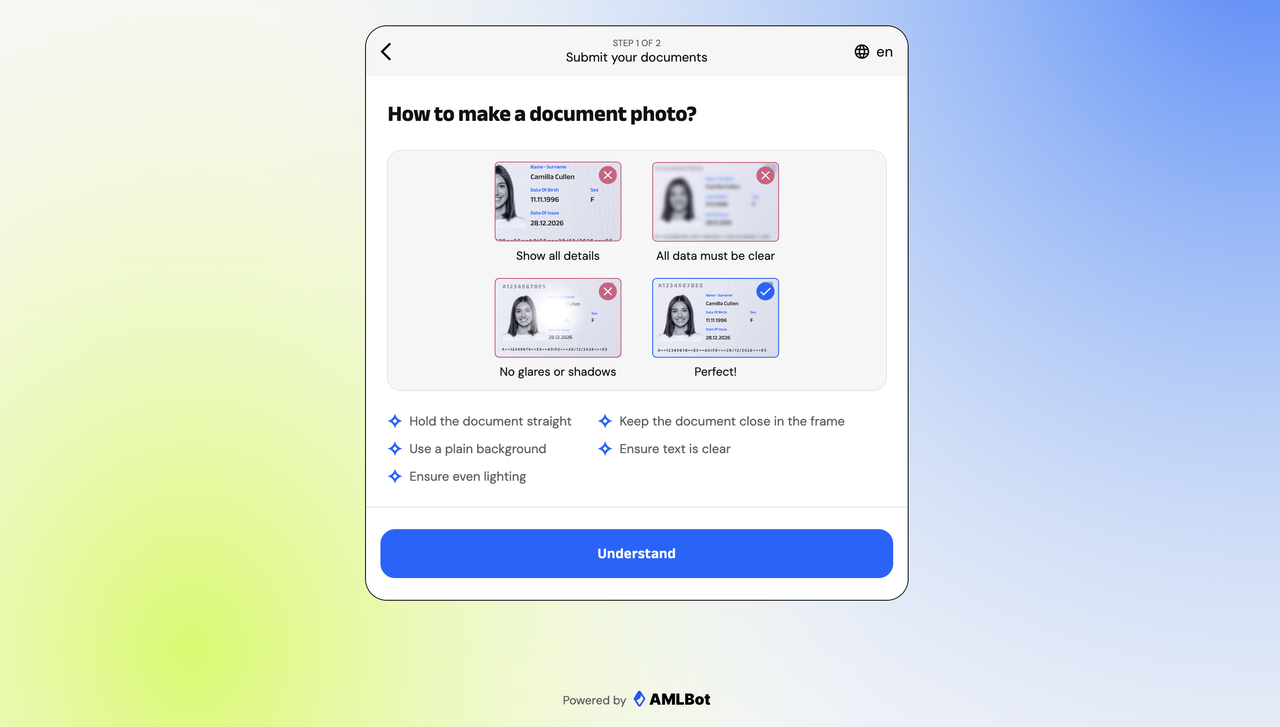
Follow the on-screen instructions to capture and upload clear photos of your document. Please ensure that:
- All information is clearly visible
- There is no obstruction or glare
📌 If the system cannot access your camera, please enable camera permissions in your browser settings.
7: Complete Facial Recognition
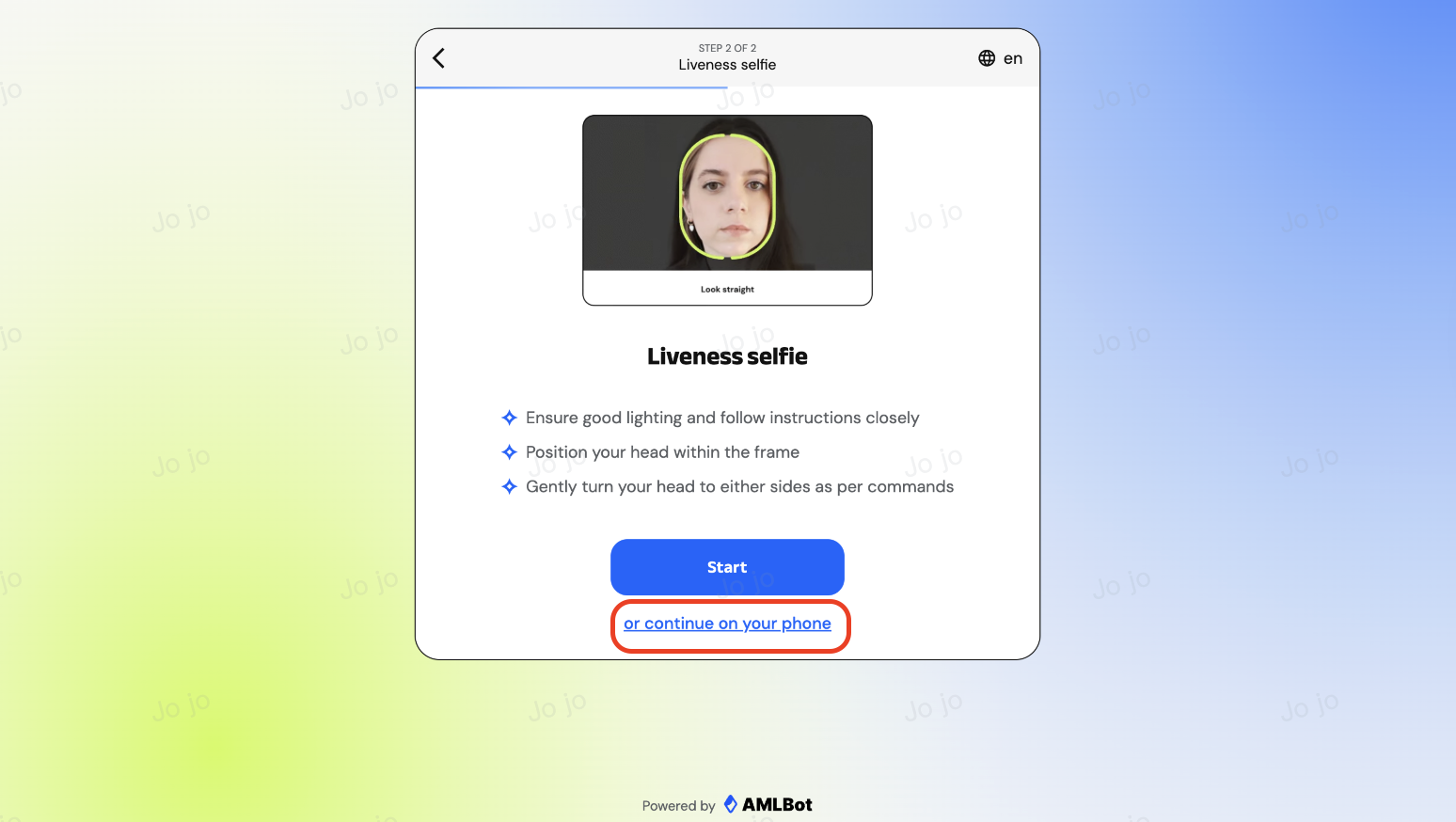
After uploading your documents, please follow the on-screen instructions to activate your camera and complete facial recognition to verify your identity matches the submitted documents.
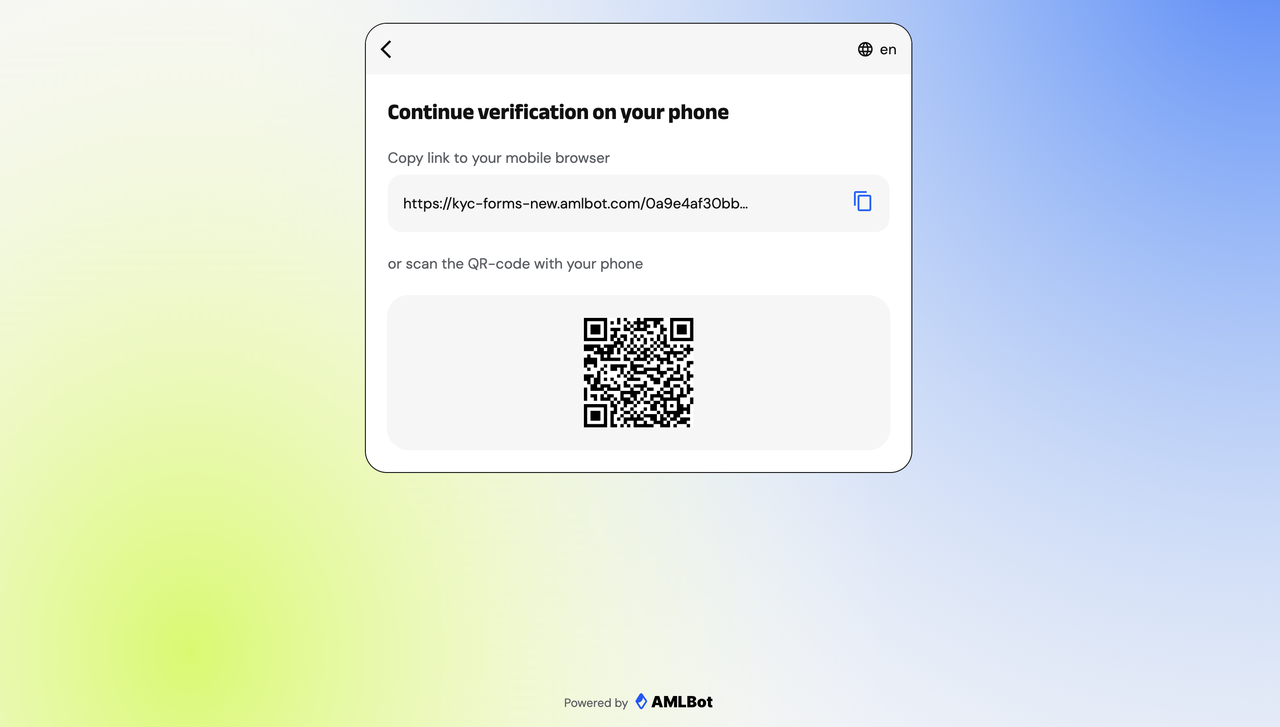
📱 Tip: If you are using a computer, you may also click “Continue on your phone” at the bottom of the page to switch to your phone for facial recognition.
👉 Scan the QR code on the page or copy the link to your mobile browser to continue the KYC verification process.
8: Wait for Review
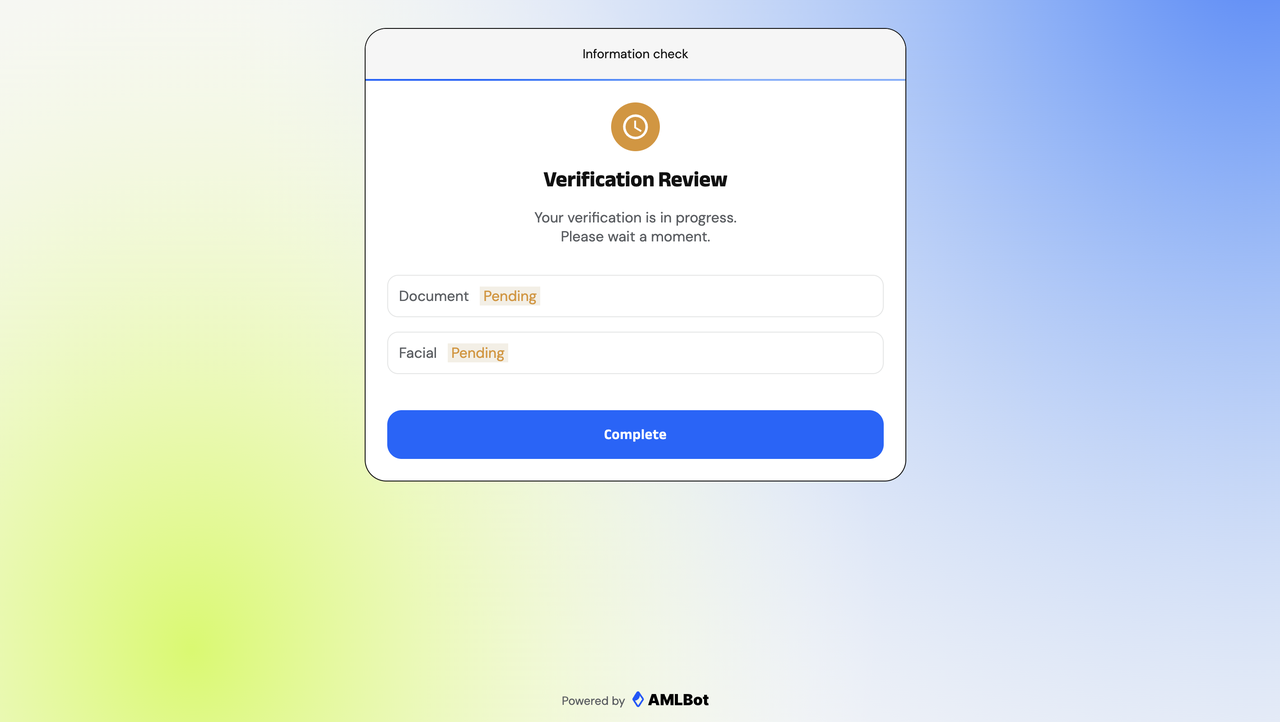
After submission, the system will automatically begin the review process. Your documents and facial data will be marked as “Pending” or “Under Review.”
Please wait patiently — the results will be displayed on the page.
9: Check the Review Result
Once all steps are completed and your verification is approved, Hotcoin will notify you via email.
🎉 Benefits After Successful Verification
- Fiat deposits/withdrawals: up to USD 100,000 per day
- Digital asset deposits: no limit
- Digital asset withdrawals: up to 5 BTC per day (Complete Advanced Verification to increase the limit to 10 BTC)
💡 Tips
- Please ensure that the uploaded document photos are clear and free from glare or obstructions to improve approval speed and success rate.
- If you encounter any issues during identity verification, please refer to the “KYC Common Issues and Solutions” or contact Hotcoin Customer Support for assistance.