
HOTCOIN Logo
Buy Crypto
Markets
Trade
Futures
Finance
Rewards
More
Web3 Wallet
Customer Support

service@hotcoinex.io

Product Feedback

Product@hotcoin.com

Business Inquiries

Business@hotcoin.com

Law Enforcement

Casecn@hotcoin.com

Contact us
Customer Support

service@hotcoinex.io

Product Feedback

Product@hotcoin.com

Business Inquiries

Business@hotcoin.com

Law Enforcement

Casecn@hotcoin.com

About
About Us
Announcements
Hotcoin Academy
Hotcoin Blog
System Status
User Agreement
Privacy Policy
Legal Notice
Products
Futures
Spot
TradFi Trading
Copy Trading
Margin Trading
Earn
P2P Trading
Buy Crypto with Card
Web3 Wallet
Services
Hotcoin Live
Hotcoin Elite Picks
Rewards Hub
Referral Program
VIP Program
Download
P2P Merchant Program
Support
Help Center
API Docs
Fees
Listing Application
Live Chat
Feedback & Suggestions
Hotcoin Verify 
Trade
Crypto Prices
BTC USDC
ETH USDC
BTC USDT
ETH USDT
PI USDT
SOL USDT
XRP USDT
©2017-2026
Help Center
/Derivatives/Copy Trading/Getting Started/
Copy Trading Quick Start (App)
Help Center
/Derivatives/Copy Trading/Getting Started/
Copy Trading Quick Start (App)

Copy Trading Quick Start (App)

Hotcoin
Share


Futures Copy Trading allows you to follow the strategies of experienced traders. Once enabled, the system automatically replicates their trades, eliminating the need to place orders manually.

This guide uses the Hotcoin App as an example to help you quickly get started with Futures Copy Trading.


1. Access the Copy Trading Page


Open the Hotcoin App and tap More → Copy Trading to access the Copy Trading page.
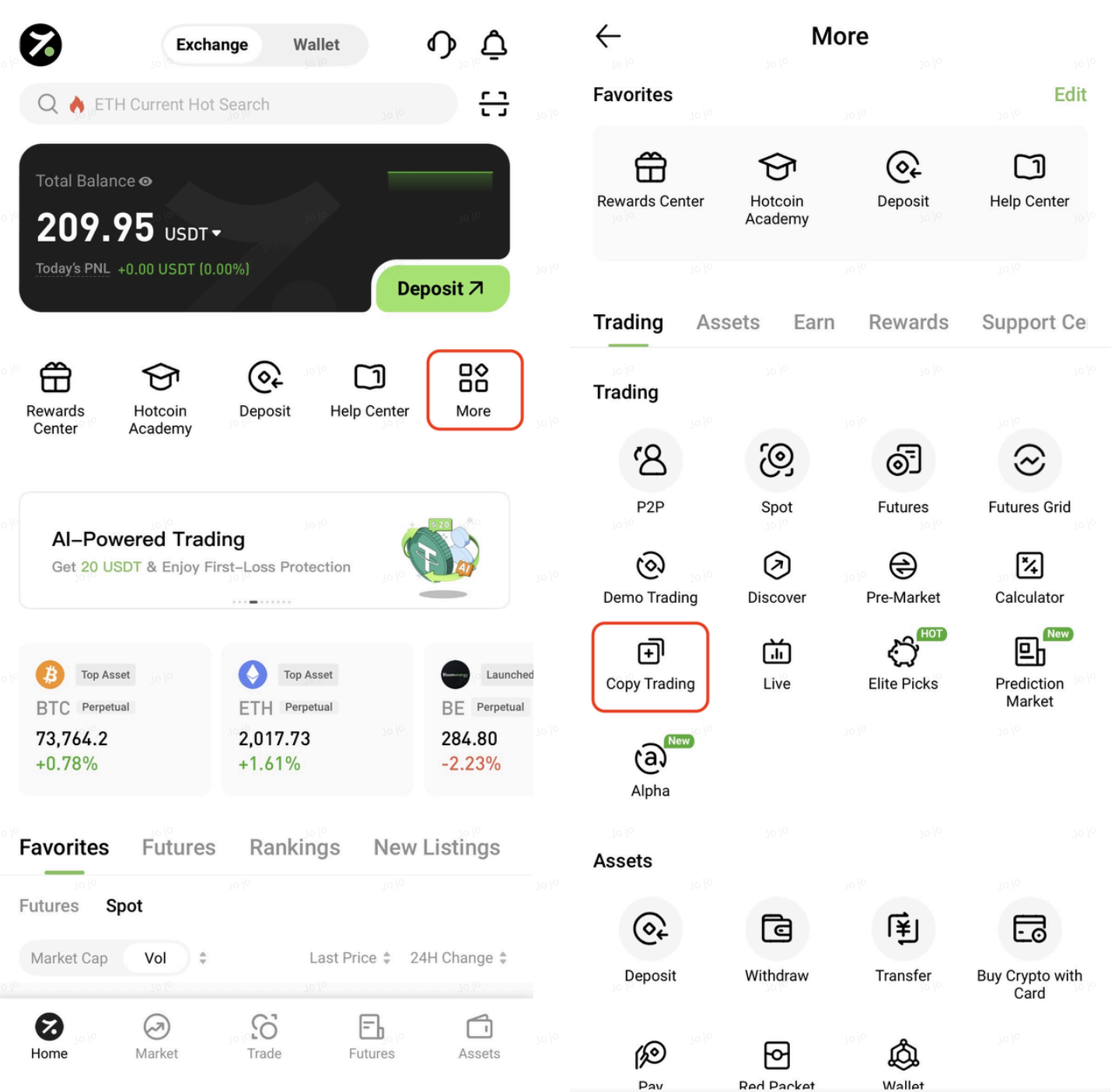


On this page, you can view trader profiles, performance metrics, and related trading data. You can also use the filter function to quickly find traders that match your preferences.
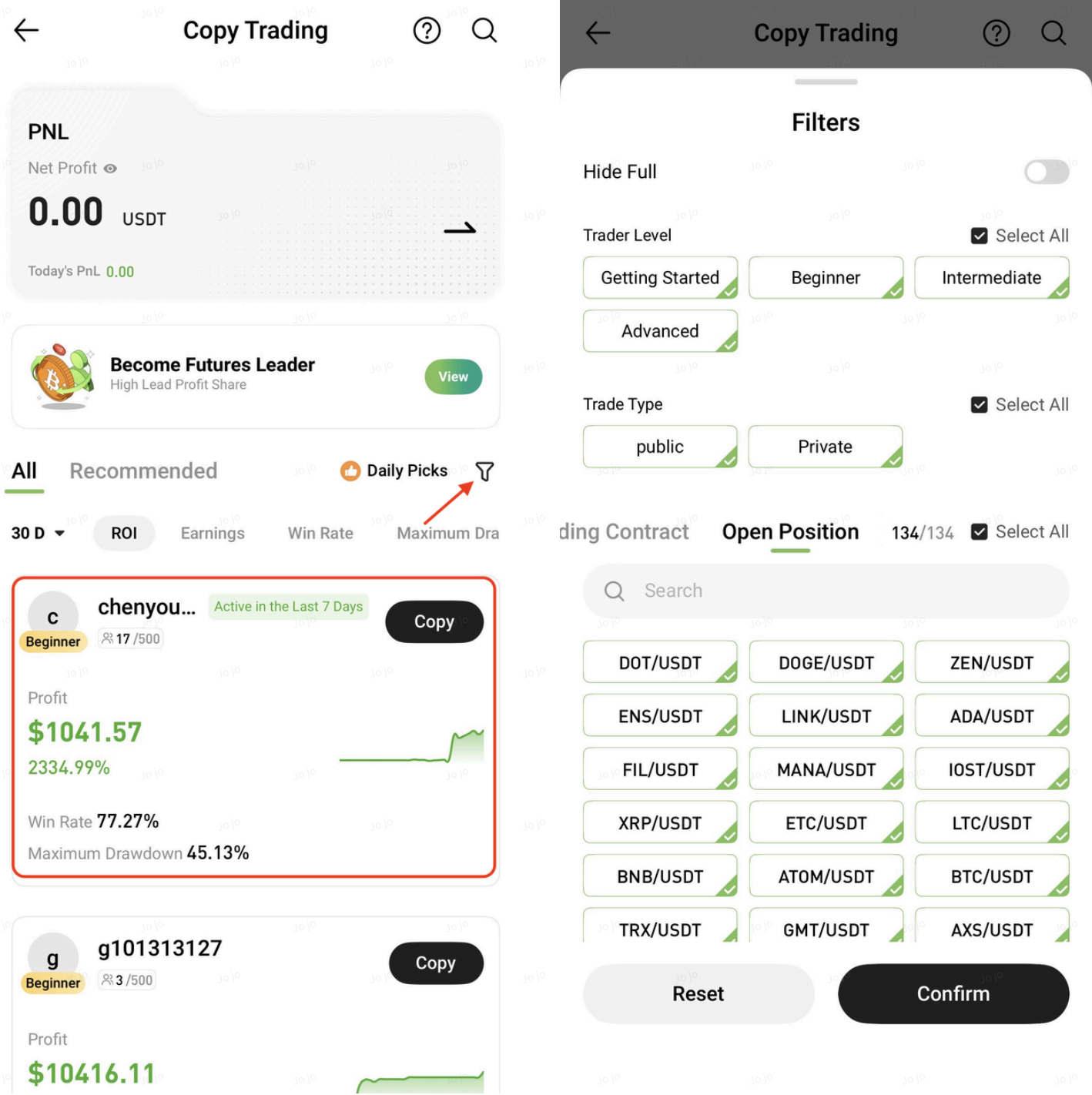


2. Choose a Trader


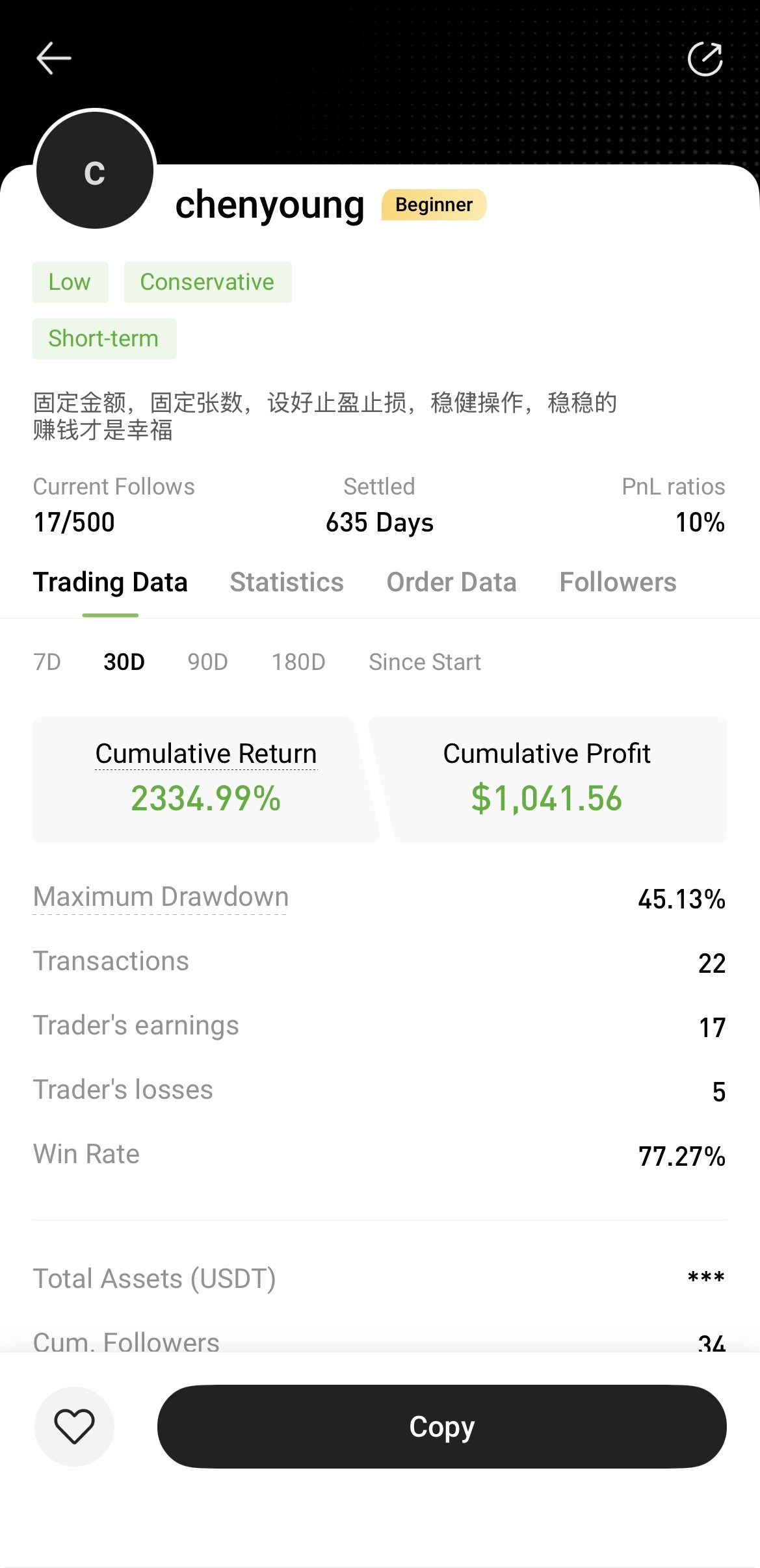
Tap a trader's avatar to view detailed information and trading statistics.

It is recommended to evaluate both returns and risk metrics comprehensively, with a focus on traders who demonstrate stable long-term performance.


3. Start Copy Trading


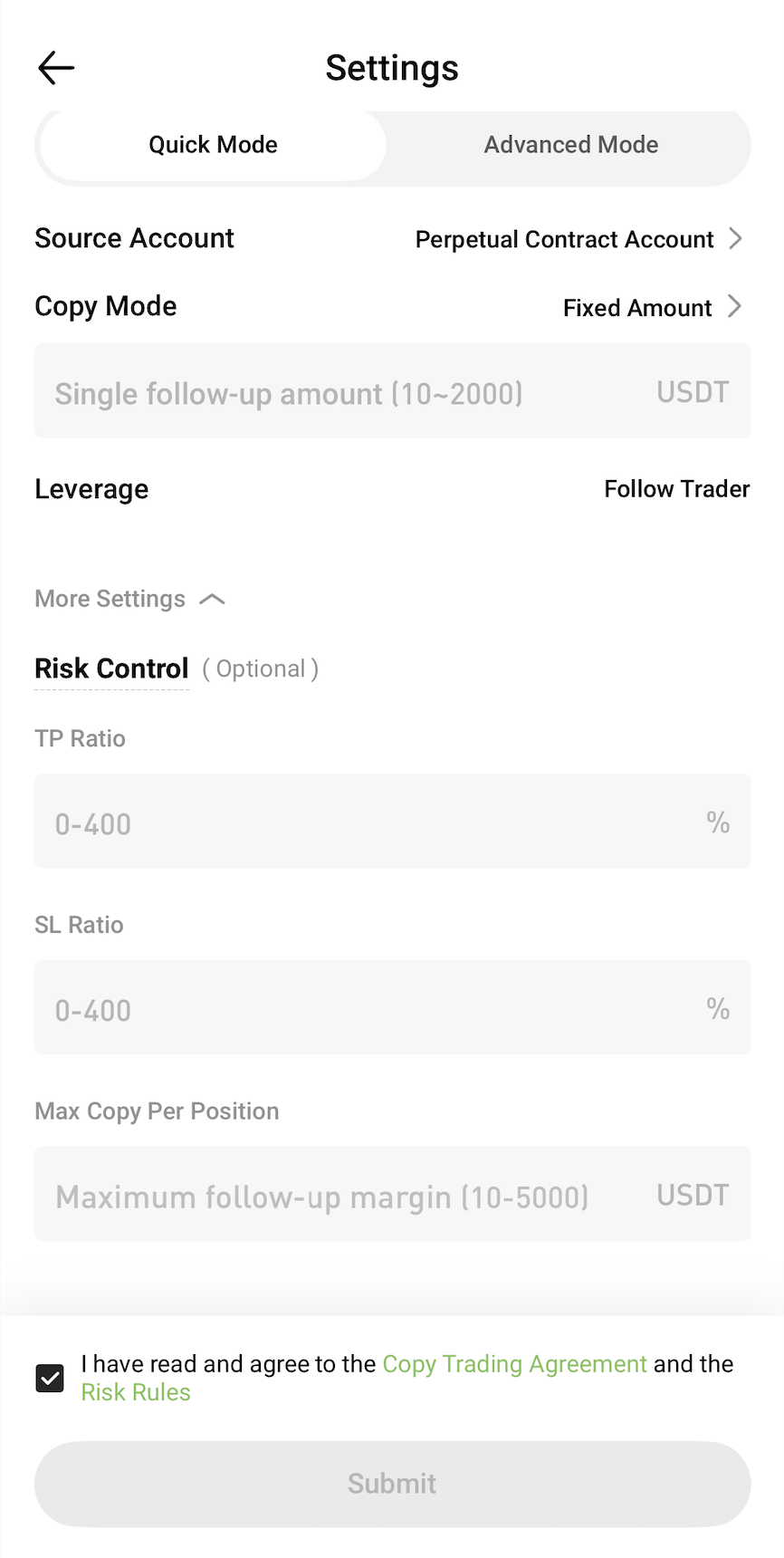
After selecting a trader, tap Copy and configure the copy trading settings according to your preferences.

Once the settings are confirmed, tap Submit to start copying trades.


4. View and Manage Copy Trading


On the Copy Trading page, you can view the following information at any time:

  • Active copy trades
  • Followed traders
  • Performance and PnL
  • Historical trading records

You can also adjust your copy trading settings whenever needed.
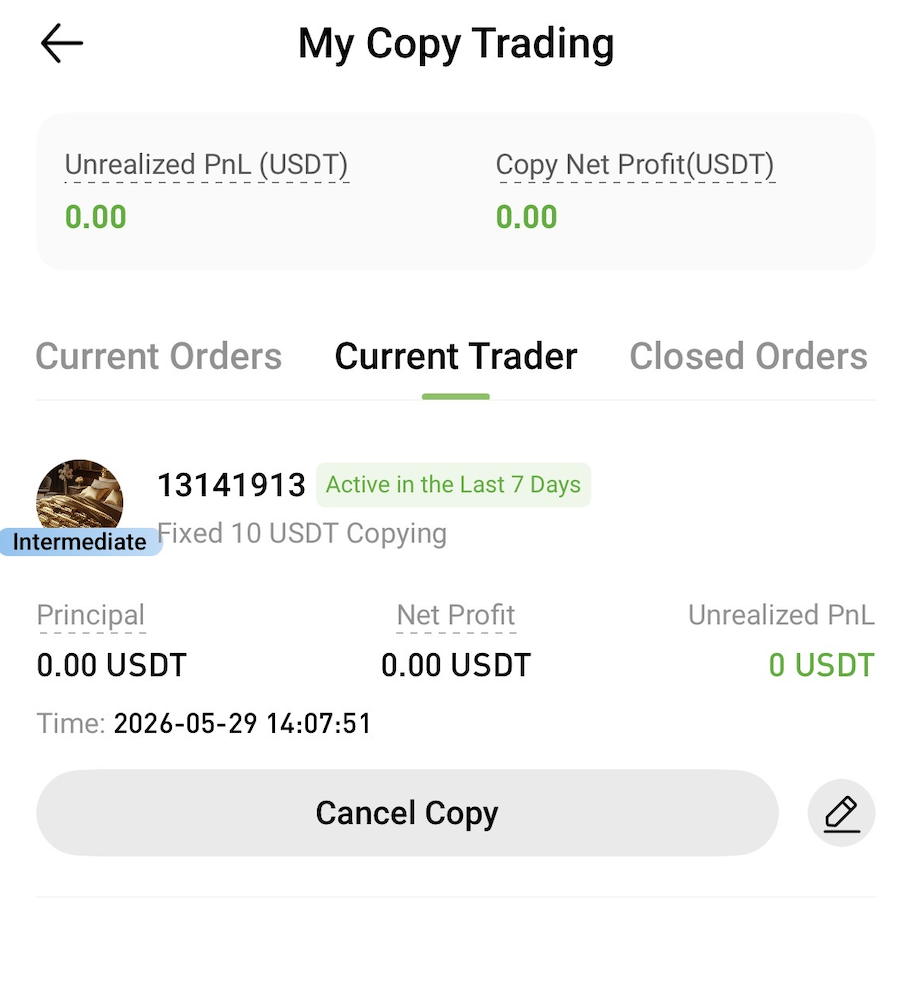


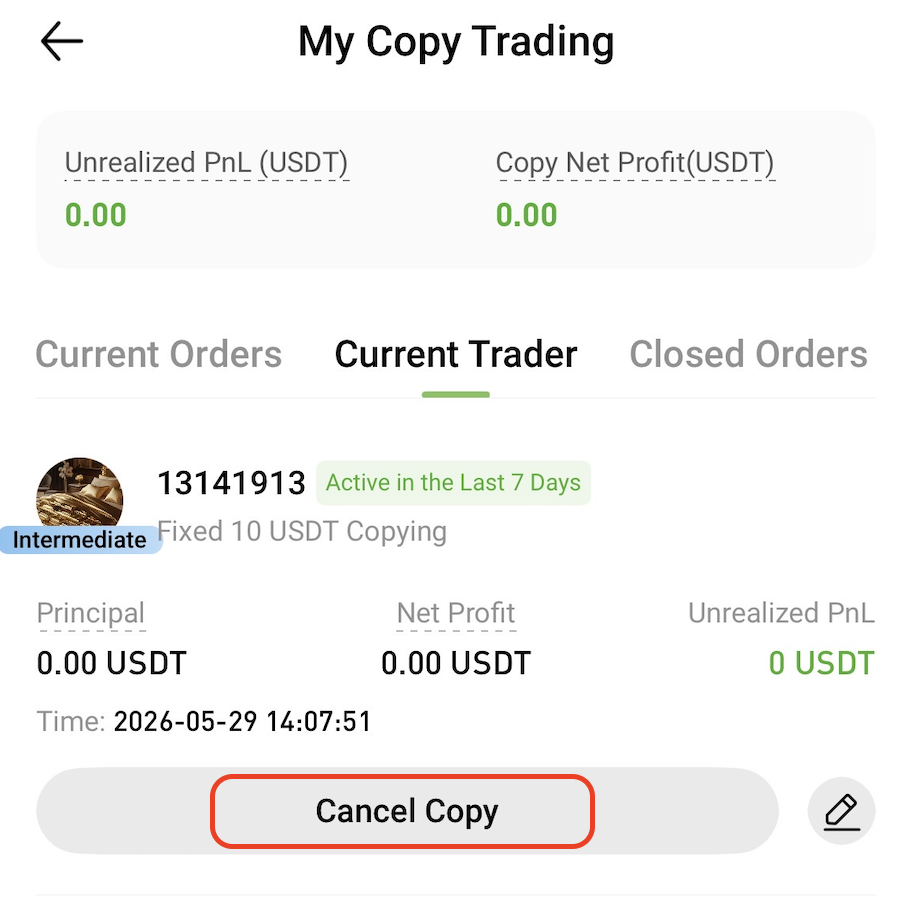
5. Stop Copy Trading


To stop following a trader, go to the My Copy Trading page and tap Cancel Copy.

Once copy trading is canceled, the system will no longer replicate any new trades from that trader.


Risk Warning

Copy trading does not guarantee profits. Past performance is not indicative of future results. Please assess the risks carefully and only participate within your risk tolerance.


Related Articles


Copy Trading Video Tutorial

Copy Trading Quick Start (Web)

Copy Trading FAQ

Quick Start Guide
Cryptocurrency Basics
Beginner’s Guide
App Guide
Start Trading
VIP Program
Rewards Center
Account Security & KYC
Asset Security
Security Settings
KYC Verification
Deposit & Withdrawal
Deposit
Withdrawal
P2P
P2P Trading Guide
P2P Merchant Management
P2P Rules & Agreements
Friend Referral
Spot Trading
Spot Trading Guide
Pre-market trading
Derivatives
Advanced Trading
Grid Trading
Trend Trading
Fundamentals of Technical Analysis (Candlesticks / MACD / RSI)
Prediction Market
Futures Grid
Futures Trading
Getting Started
Contract Type
Trading Mechanics
Risk Management
FAQ
Copy Trading
Getting Started
Follower Guide
Lead Trader Guide
Terms of Service
Web3 Wallet
Getting Started
Swap
Hotcoin Card
Hotcoin Earn
TradFi
Alpha
Startup
Platform Support
Agreements & Rules